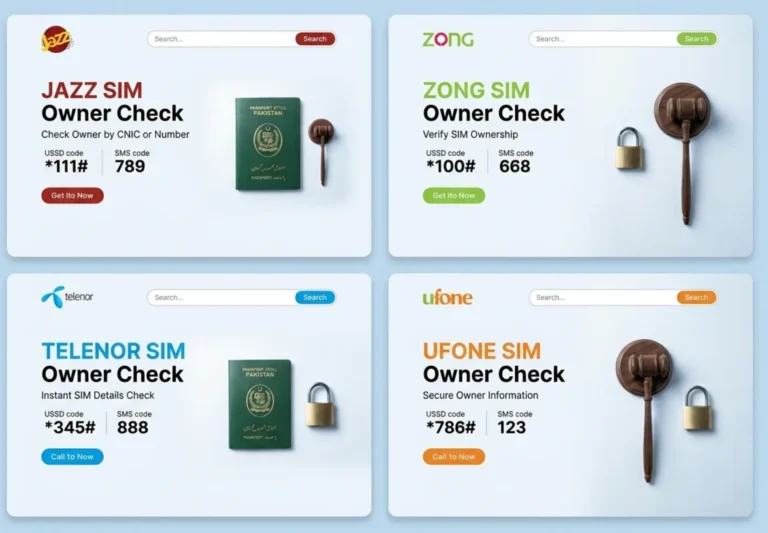
Every active mobile connection in Pakistan carries a verified identity record. Your name, CNIC, biometric fingerprint, activation date, and operator assignment are permanently stored in a centralized national registry the moment a SIM is activated. These records — collectively referred to as SIM owner details — form the backbone of Pakistan’s telecom identity verification infrastructure, jointly maintained by PTA and NADRA.
SIM Owner Details in Pakistan
CNIC Data Lookup
For most people, this system works silently in the background. You buy a SIM, verify your thumbprint at the franchise counter, and start making calls. But that same simplicity creates a blind spot: the average CNIC holder in Pakistan has no idea how many SIMs are actually registered against their identity. PTA’s own enforcement data from 2025 shows that millions of SIM cards were flagged as unauthorized registrations, meaning they were activated using someone else’s CNIC without that person’s knowledge or consent.
What Are SIM Owner Details?
SIM owner details refer to the set of identity records that PTA and each telecom operator permanently associate with every active mobile SIM card in Pakistan. This linkage is created during the mandatory biometric verification process at the point of SIM activation and cannot be altered without another in-person biometric transaction.
The data stored against each SIM includes:
- Full legal name — recorded exactly as it appears on the CNIC or passport submitted during registration.
- CNIC number — the 13-digit national identity number, or passport number for foreign nationals registered through Special Communication Organization (SCO).
- Mobile number and network operator — the specific phone number along with whether it belongs to Jazz, Zong, Telenor, Ufone, SCO, or SCOM.
- Biometric verification status — confirms whether the SIM was activated through Multi-Finger Biometric Verification System (MBVS) as mandated by PTA.
- Activation and registration date — the exact date the SIM was first linked to the CNIC in the operator’s system.
- Current SIM status — whether the connection is active, blocked, suspended, expired, or disowned.
All of this information is stored within PTA’s SIM Information System, which integrates directly with NADRA’s national identity database. It is not a publicly downloadable file, and it cannot be accessed through any third-party website or mobile application. The only legitimate way to retrieve your own records is through PTA-authorized verification channels.
Why Checking Your SIM Registrations Matters
Monitoring SIM owner details is not a routine administrative task. It directly protects your financial accounts, legal standing, and digital identity in ways that most people only realize after something goes wrong.
Financial exposure
Mobile wallet services like JazzCash and Easypaisa authenticate transactions through the SIM linked to your CNIC. An unauthorized SIM registered under your identity can be used to open parallel mobile wallet accounts, bypass two-factor authentication on your bank accounts, and initiate transactions that drain your funds. Because the SIM is legally registered to your CNIC, disputing these transactions with your bank becomes significantly harder.
Legal liability
Under Pakistani law, the CNIC holder is presumed responsible for all activity conducted through SIMs registered against their identity. If someone commits fraud, sends threats, or engages in criminal activity using a SIM registered on your CNIC, law enforcement investigators come to you first. Building a legal defense to prove you were not involved typically takes two to four years and costs substantial legal fees.
Identity theft and digital impersonation
Your CNIC is the primary key to nearly every digital service in Pakistan, from banking to government portals to utility accounts. An unauthorized SIM registration is the first step in a broader identity theft chain. Once a criminal controls a SIM linked to your CNIC, they can impersonate you across services that use mobile OTP verification as a security layer.
Credit history damage
Fraudulent loans and credit card applications initiated through unauthorized SIM connections can corrupt your financial record with credit bureaus. Cleaning up this damage typically takes years of formal disputes, even after the unauthorized SIMs have been blocked and the fraud has been documented.
How to Check SIM Owner Details — All Official Methods
PTA provides multiple free, legally authorized channels for Pakistani citizens to verify their own SIM registration records. Each method serves a slightly different purpose, and understanding when to use which one saves time and ensures you get the right information.
Method 1: Send Your CNIC to 668 (SMS)
This is the most widely used and comprehensive method. Sending your 13-digit CNIC number to short code 668 returns a complete operator-by-operator count of every SIM card registered against your identity across all Pakistani networks.
How to do it:
- Open your phone’s messaging app. This works on any phone, including basic feature phones, and does not require an internet connection.
- Type your 13-digit CNIC number without any dashes or spaces. For example, if your CNIC reads 35201-1234567-8, type 3520112345678.
- Send the message to short code 668.
- Wait 5 to 30 seconds. You will receive a reply showing the number of SIMs registered on each operator: Jazz, Zong, Telenor, Ufone, SCO, and SCOM.
Important: 668 shows the SIM count per operator, but does not display the individual mobile numbers. To see specific numbers, you need to visit your operator’s franchise with your original CNIC.
| Attribute | Detail |
| Cost | Free on all networks |
| Response time | 5–30 seconds |
| Internet required | No |
| Networks covered | Jazz, Zong, Telenor, Ufone, SCO, SCOM |
| Works on | Any phone — smartphone or basic feature phone |
Method 2: Send MNP to 667 (SMS)
This method verifies the registration details of the specific SIM that is physically inserted in your phone at the time of sending the message. It returns the registered owner’s name, a partially masked CNIC, and the current network operator.
How to do it:
- Insert the SIM you want to verify into your phone.
- Open your messaging app and type MNP in capital letters.
- Send the message to short code 667.
- Receive the reply within 5–10 seconds showing the owner name, masked CNIC, and operator.
Best use cases: Verifying a SIM before purchasing a second-hand phone, checking a SIM found in a lost device, confirming your own registration status, or verifying a suspicious SIM before reporting it.
667 only works for the SIM physically in your phone. It cannot be used to remotely look up another person’s number.
Method 3: PTA SIM Information Portal (Online)
PTA’s official online portal provides a detailed operator-wise breakdown of all SIM registrations on your CNIC, complete with activation dates, registration status, and biometric verification status. This is the most comprehensive method and produces printable documentation.
How to do it:
- Visit PTA’s official SIM information portal. The URL is displayed on PTA’s main website under the SIM verification section.
- Enter your 13-digit CNIC number. Both formats (with and without dashes) are accepted.
- Complete the CAPTCHA verification to prove you are not a bot.
- View your full SIM registration breakdown instantly. Screenshot or print the results for your records.
When to use this over SMS: When you need printed proof for a police FIR, when disputing fraud with a bank, when you need court-admissible documentation, or when you want to see exact activation dates for each SIM.
Method 4: Operator Self-Service Apps and USSD Codes
All four major Pakistani telecom operators provide SIM verification features through their official mobile apps and network USSD codes. These are useful for quick checks from within the operator’s ecosystem.
| Operator | USSD Code | SMS Verification | App | Helpline |
| Jazz | *99# | CNIC → 6001 | Jazz World | 111 |
| Zong | *2# / *8# | V → 7911 | My Zong | 310 |
| Telenor | SMS → 7421 | BVS → 7751 | My Telenor | 345 |
| Ufone | *780*3# | MNP → 667 | My Ufone | 333 |
Method 5: Operator Service Center Visit (In-Person)
An in-person visit to an authorized operator franchise is the only method that produces an official printed SIM ownership verification certificate. This is the only documentation format accepted by courts, banks, and police stations for formal legal proceedings.
What to bring: Your original CNIC. Expired CNICs and photocopies are not accepted. Foreign nationals must bring a valid passport.
What to request: Ask for “SIM Ownership Verification” at the service counter. A biometric scan will be conducted, and you will receive a printed certificate free of charge.
Pakistan’s National SIM Database — How It Works
The Pakistan SIM database is the centralized national registry maintained by PTA in coordination with NADRA. It stores the verified identity record for every active and inactive SIM connection in the country, updates in real time when SIMs are registered, ported, blocked, or disowned, and can only be queried through PTA-authorized channels.
| Attribute | Detail |
| Maintained by | PTA + NADRA (joint administration) |
| Active connections tracked | 180 million+ |
| Subscriber records | 100 million+ verified identities |
| Networks covered | Jazz, Zong, Telenor, Ufone, SCO, SCOM |
| Maximum SIMs per CNIC | 25 total (5 per operator) |
| Data refresh | Real-time — every SIM transaction updates instantly |
| Access method | Self-verification only through official PTA channels |
| Cost to verify | Free |
Websites and Telegram channels selling “SIM database downloads” or “pak sim data files” are operating illegally under PECA 2016. Purchasing, downloading, or distributing such files carries penalties of up to PKR 5 million in fines and 3 years imprisonment. These sources also frequently distribute malware.
SIM Registration Limits Per CNIC — PTA DIRBS Rules
PTA enforces strict numerical limits on how many mobile connections a single identity document can carry. These limits are monitored and enforced automatically through DIRBS (Device Identification, Registration and Blocking System), which integrates in real time with NADRA’s biometric database and all operator systems.
| Rule | Limit or Consequence |
| SIMs per operator per CNIC | 5 maximum |
| Total SIMs across all operators | 25 maximum |
| SIMs exceeding per-operator limit | Auto-blocked immediately by DIRBS |
| Unbiometrically verified SIMs | Progressive blocking (see timeline below) |
If PTA’s portal or the 668 SMS response shows more SIMs than you personally own, unauthorized registration has occurred on your CNIC. Do not assume it is a system error. Take immediate action using the blocking procedure described later in this guide.
Biometric Verification (BVS/MBVS) — Complete Breakdown
PTA mandates the Multi-Finger Biometric Verification System for every SIM transaction in Pakistan. This includes new SIM activations, duplicate SIM issuance, ownership transfers, and Mobile Number Portability requests. A SIM without valid biometric verification is classified as unregistered under PTA rules, regardless of whether the user is paying for active service.
How biometric verification works
The process involves four stages. First, high-resolution optical scanners capture four to eight fingerprints from the person activating the SIM, with live finger detection to prevent spoofed or synthetic prints. Second, the captured fingerprint data is encrypted using 256-bit encryption and transmitted to NADRA’s central servers. Third, NADRA matches the fingerprints in real time against its national biometric database containing over 100 million records with duplicate detection. Fourth, upon successful match, a digital certificate is issued that permanently links the CNIC to the SIM in both PTA and operator systems.
Non-compliance timeline
PTA enforces a progressive restriction schedule for SIMs that remain unverified biometrically. During the first 30 days, the operator sends formal warnings via SMS while all services remain active. From day 31 to 60, outgoing calls and SMS become limited, though incoming calls and data may partially function. At day 90, all services are fully suspended. After day 120, the SIM is permanently blocked by DIRBS and cannot be reactivated. A new SIM with fresh biometric registration is required.
How to check your biometric verification status
- Send V to 7911 — works on Jazz, Zong, and Telenor.
- Send MNP to 667 — works on all operators and includes BVS status.
- Jazz-specific: Send your 13-digit CNIC to 6001.
- Telenor-specific: Send to 7751.
- PTA Portal: Visit the SIM Information Portal for per-SIM biometric status.
Legal Boundaries — What You Can and Cannot Access
Information you can access freely and legally
- All SIMs registered on your own CNIC (SMS to 668 or PTA portal)
- Owner name and operator of a SIM physically in your possession (MNP to 667)
- Biometric verification status of your SIMs (V to 7911, CNIC to 6001, or 7751)
- Active, blocked, or suspended status of your SIMs (PTA portal)
- Official printed SIM ownership certificate (operator service center visit)
Information that is legally protected and cannot be accessed
- Another person’s SIM owner details — criminal offence under PECA 2016
- Owner’s home or residential address — not stored in SIM data; NADRA confidential
- Owner’s photo or biometric fingerprint data — NADRA confidential
- Call detail records (CDR) or SMS content — requires a court order
- Real-time or historical phone location — law enforcement only with legal authority
- Financial account details linked to a SIM — regulated banking data
- Family tree data, CNIC scans, or original colour CNIC copies — PECA 2016
How to Block Unauthorized SIMs on Your CNIC
If you discover more SIMs than you personally registered, the unauthorized connections must be blocked through an in-person process at each operator’s service center. This cannot be done online or via SMS.
Step-by-step process:
- Document all unauthorized SIMs. Check the PTA portal and SMS 668. Screenshot the results with the date visible. List your legitimate numbers and identify unauthorized ones by elimination.
- Visit each operator’s official service center with your original CNIC. Request “SIM Disowning” or “Unauthorized SIM Blocking.” Each operator must be visited separately — one visit cannot cover all operators.
- Complete biometric verification and fill the disowning form, listing all unauthorized numbers.
- Receive written confirmation with a reference number. Keep this receipt for a minimum of six months.
- Verify removal after 18–20 days by checking the PTA portal again. If the operator does not cooperate, file a complaint at complaint.pta.gov.pk or call 0800-55055 (free). For crimes linked to unauthorized SIMs, file an FIR citing PECA 2016 Section 10.
Blocking timeline after reporting
| Timeframe | Action Taken |
| Days 1–7 | Notice period — warnings sent to unauthorized user |
| Day 13 | Calling and SMS services disabled on unauthorized SIM |
| Day 17 | Complete permanent blocking |
| Days 18–20 | Verify removal via PTA portal or 668 SMS |
Corporate and Business SIM Registrations
SIM cards registered under a company’s National Tax Number follow a separate set of PTA rules. The standard self-service methods (668 SMS, 667 SMS, and the online PTA portal) only work for personal CNIC-registered SIMs and do not return results for NTN-registered corporate connections.
Key differences for corporate SIMs:
- Verification is only possible in person at the operator’s corporate services center.
- Required documents include the NTN certificate, a Board Resolution authorizing the representative, and the representative’s original CNIC. All three are mandatory.
- Employee SIM transfers require both the company representative and the new employee to complete biometric re-registration together at the service center.
- Transfer processing takes 24–48 hours with a fee of PKR 100–300.
Official PTA Channels vs Third-Party “SIM Databases”
Understanding the difference between PTA’s authorized verification system and the illegal third-party alternatives is critical for both your safety and legal standing.
| Aspect | Official PTA Channels | Third-Party Databases |
| Data source | PTA + NADRA live records | Unknown — often stolen or fabricated |
| Legal status | Fully legal, PTA-authorized | Illegal under PECA 2016 |
| Accuracy | Real-time, NADRA-verified | Frequently incorrect or outdated |
| Privacy | Self-verification only | Exposes private data without consent |
| Cost | Free | Charges fees for illegal access |
| Risk to user | None | Criminal liability, scams, malware |
How to Report Harassment or Fraud Calls
If you receive threatening calls, fraud attempts, or persistent harassment from an unknown number, use the official legal channels described below. Never attempt to look up the caller’s identity through third-party databases or paid services.
- Save all evidence before filing any complaint. This includes call timestamps, screenshots, voice recordings, and the harassing number. Keep everything for at least one year.
- File a PTA complaint at complaint.pta.gov.pk or call 0800-55055 (free). PTA has direct authority over all telecom operators and can access SIM owner records for investigation.
- File an FIA Cybercrime complaint at fia.gov.pk/cybercrime or call 1991. FIA handles PECA 2016 offences including fraud calls, threats, and digital impersonation.
- File a local police FIR for serious criminal threats, citing PECA 2016. Keep copies of all FIRs for at least one year.
PTA and FIA have the full legal authority to access SIM owner details and call records for investigation purposes. You do not need to identify the caller yourself.
How to Protect Your CNIC and SIM Identity
Preventing unauthorized SIM registrations requires consistent habits around how you handle your CNIC and monitor your telecom records. These practices are straightforward but remarkably effective at reducing exposure to SIM fraud.
- Store your original CNIC securely. Keep it locked at home. Carry watermarked photocopies for routine use and only produce the original when legally required.
- Watermark every CNIC photocopy. Write “FOR [PURPOSE] ONLY — NOT VALID FOR SIM REGISTRATION — [DATE]” across every copy before handing it to anyone.
- Never share CNIC images digitally. Delete CNIC photos from your phone gallery, cloud backups, and messaging apps immediately after use. Never post CNIC images on social media.
- Run a monthly SIM check. SMS your CNIC to 668 on the first of each month. Note the SIM counts and investigate any unexpected increase immediately.
- Run a quarterly PTA portal check. Visit the PTA portal every three months, screenshot the results with the date, and compare against your previous check.
- Lost CNIC protocol. File a police FIR within 24 hours. Report to NADRA. Inform all four major operators. Check the PTA portal daily until your replacement CNIC is received.
PECA 2016 — Legal Framework for SIM Data Protection
Pakistan’s Prevention of Electronic Crimes Act (PECA) 2016 establishes clear criminal penalties for unauthorized access to telecom and identity data. Both the provider and the consumer of illegally obtained SIM data face prosecution.
Key penalties under PECA 2016:
- Unauthorized access to SIM or CNIC data: Up to 3 years imprisonment and PKR 1,000,000 in fines.
- Selling or distributing stolen SIM data: Up to PKR 5,000,000 in fines.
- Identity theft through SIM fraud: Additional charges under PECA 2016 Section 10 and relevant Pakistan Penal Code provisions.
Any service, website, app, or Telegram channel claiming to provide another person’s SIM owner details, live location, call records, or CNIC information is operating in violation of PECA 2016. Users of such services are equally liable for prosecution.
Common Scams to Recognize and Avoid
Scammers routinely charge money for services that are either freely available through official PTA channels or entirely illegal under Pakistani law. Recognizing these scams protects both your money and your legal standing.
Services that are FREE through official channels:
- Checking all SIMs registered on your CNIC — free via SMS to 668 or PTA portal.
- Checking biometric verification status — free via V to 7911.
- SIM ownership verification certificate — free at operator service centers.
Services that are ILLEGAL and should never be purchased:
- Looking up another person’s name and details from their phone number.
- Real-time location tracking of any mobile number.
- Access to call detail records for any number.
- Family tree data, CNIC scans, or original colour CNIC copies.
- Bulk SIM database download files.
Both the seller and buyer of illegal SIM data face criminal prosecution under PECA 2016. Use official PTA channels (668, 667, PTA portal) for all legitimate verification needs.
Frequently Asked Questions
How can I check all SIMs registered on my CNIC for free?
SMS your 13-digit CNIC (without dashes) to 668 from any Pakistani number. It is completely free and returns operator-wise SIM counts across all networks. For a detailed breakdown with activation dates, visit the PTA SIM Information Portal.
What is the fastest way to verify a specific SIM’s registration?
Send MNP in capital letters to 667 from the SIM you want to check. The reply arrives in 5–10 seconds and includes the owner’s name, partially masked CNIC, and network operator.
Can I check someone else’s SIM owner details?
No. PTA’s official systems only allow self-verification using your own CNIC. Accessing another person’s SIM records without authorization is a criminal offence under PECA 2016, punishable by up to 3 years imprisonment and fines of up to PKR 1,000,000.
How many SIMs can be registered on one CNIC?
PTA allows a maximum of 5 SIMs per operator and 25 total across all major operators. Exceeding the per-operator limit triggers automatic blocking by DIRBS.
What should I do if I find unauthorized SIMs on my CNIC?
Document the unauthorized SIMs via the PTA portal and 668 SMS. Visit each operator’s service center with your original CNIC to request SIM Disowning. If operators do not cooperate, file a complaint at complaint.pta.gov.pk or call 0800-55055.
Is biometric verification mandatory for all SIMs?
Yes. PTA mandates MBVS for all SIM transactions. Non-compliance leads to progressive service restrictions and permanent blocking after 120 days.
Can someone track my real-time location using my SIM number?
No legitimate service allows civilian access to real-time mobile location data. Live location tracking can only be conducted by law enforcement with proper legal authority. Anyone offering this service is running a scam.
Are “pak sim data” download sites legal?
No. These sites are illegal under PECA 2016. Both operating and using them is a criminal offence. They frequently contain stolen or fabricated data and distribute malware. Use official PTA channels instead.
How do I transfer SIM ownership to another person?
Both parties must visit an operator service center together with their original CNICs. Both undergo biometric verification, fill a transfer form, and pay PKR 100–300. Processing takes 24–48 hours. This cannot be done online.
What is the difference between SIM disowning and SIM blocking?
SIM disowning removes the registration record from your CNIC and is done at the operator’s service center. SIM blocking disables all services on that number and happens automatically after disowning is processed. Both actions are permanent.